About

The 90 Day Extension provides a longer, more flexible timeframe for participants who need extended access to course materials. This option is well-suited to those balancing work and personal commitments along with professional development. With an additional 90 days of access, you can re-engage with the content at a comfortable pace and complete your course with confidence.

The 90-Day extension is suited for our 16-24 hour courses.

Follow the instructions below or click 'Register' to purchase your extension, and we'll update your access for a further 90 days.

Details

Cost $220.00 (INC GST)
Code Ext90
Contact [email protected]

Instructions

When you register for an AWS training program, you’ll receive access to your course materials for the period outlined on the course page.

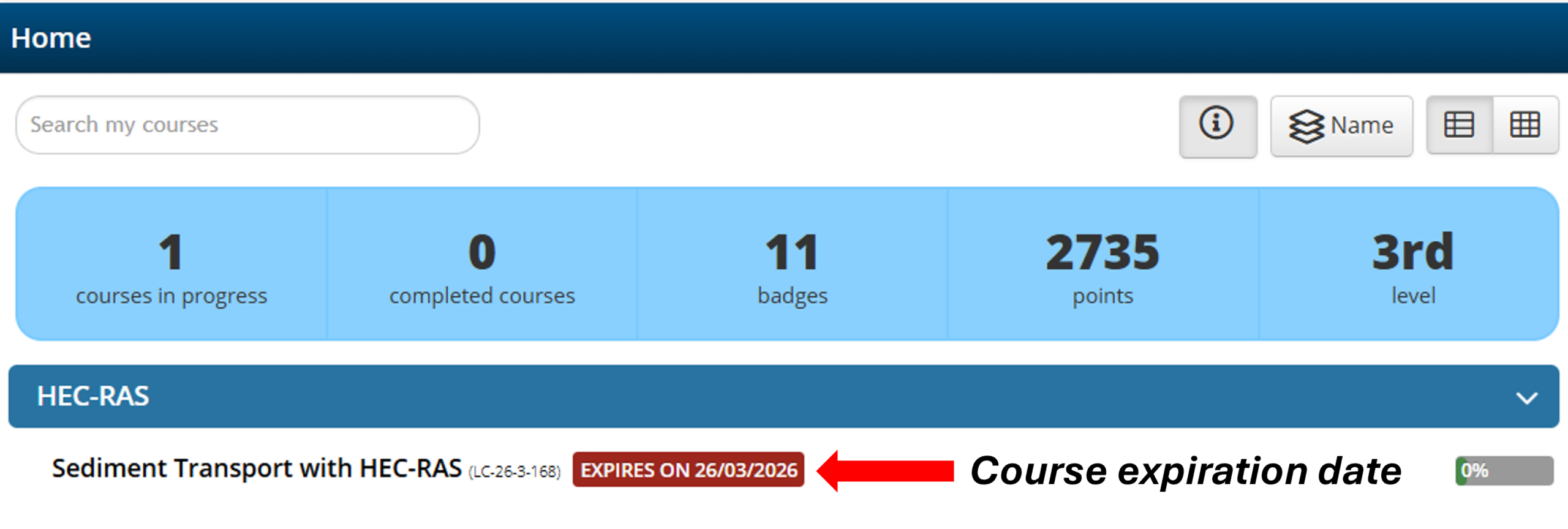
To view the course end date, log in to the learning platform and head to the dashboard; your course expiration date is in red.  See example below:

You can request an extension for a further 90 days for our course(s) for up to a maximum of 2 extensions.

For full details including fees see our Terms.

Steps to request a 90-day extension

Step 1: Click on “Register” at the top of this page to pay the 90-day extension fee.

Step 2: Click on “Get this course” from the course catalogue on our learning platform.

Step 3: Log in to the learning platform using your registered details to complete payment.

Step 4: Once payment is successful, please email your details including Course Name and Course Code to [email protected]

Step 5: The AWS team will update your access to the course(s) for a further 90 days and send an email confirmation to you.


If you have any queries, please reach out to the AWS team at [email protected] for assistance.